
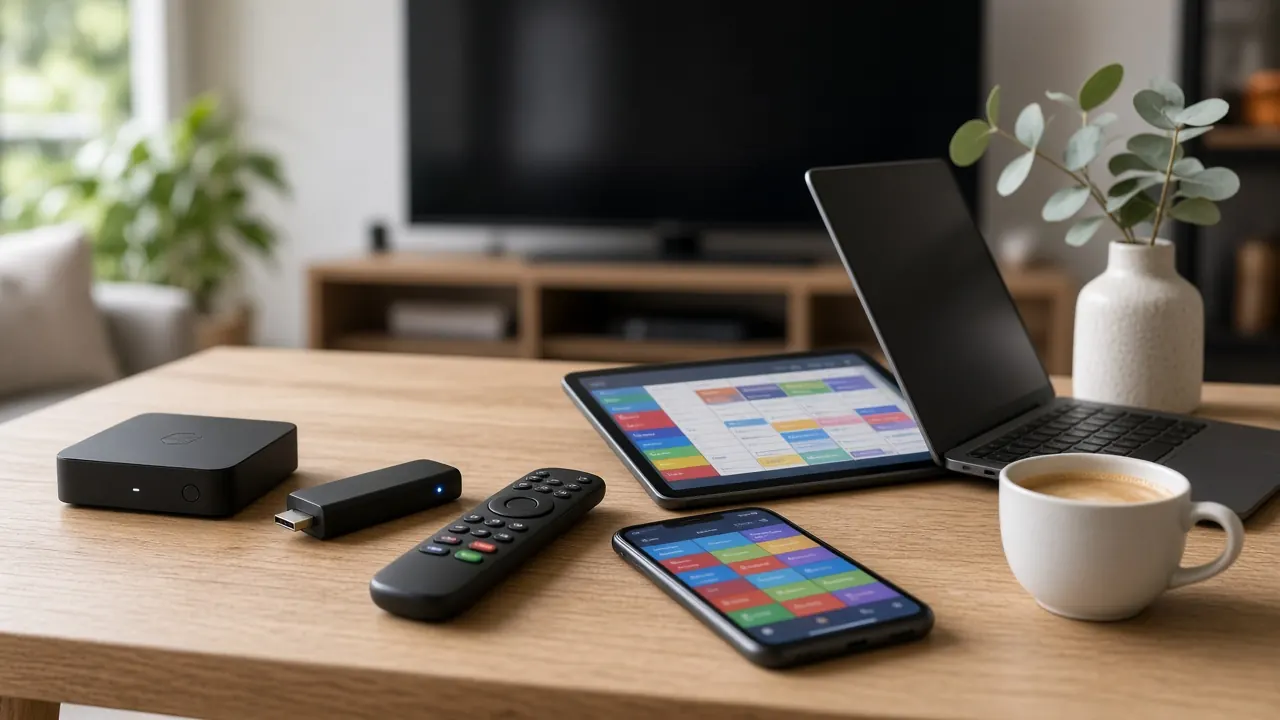
Arabic Box TV: Arabic Channels on Any Box or Smart TV
Looking for an Arabic box TV setup in Australia? You don’t need a special “Arabic box”. Any good Android TV box, streaming stick, MAG box or Smart TV can show Arabic channels with a Australia IPTV subscription. Here’s how to choose one and set it up for the whole family.
Do you need a special Arabic TV box?
Search for “Arabic box TV” and you’ll find plenty of boxes sold as if the box itself provides the channels. It doesn’t. The channels come from your subscription; the box is just a small computer that connects your TV to the internet and runs a player app. That’s good news, because it means any decent box from a mainstream Australian retailer can show Arabic channels — and you’re not locked into one seller’s hardware or software.
With a Australia IPTV subscription, your box gets Arabic channels from across the Middle East and North Africa plus 35,000+ Australian and international channels, on 1 to 5 devices at once. A box is worth buying when:
- your TV isn’t a Smart TV, or its app store doesn’t offer a good IPTV player;
- your TV is a few years old and its apps feel slow;
- you want the steadiest picture for live news and football, which is easiest over an Ethernet cable;
- you’re setting up TV for parents or grandparents who want a simple remote and nothing else.
Four ways to get Arabic channels on your TV
1. Android TV box
The most popular choice for Arabic TV in Australia. It plugs into your TV’s HDMI port, connects by Ethernet or Wi-Fi, and runs a full app store, so you can install a quality IPTV player in minutes. A mid-range box handles 4K, switches channels quickly and copes with a large TV guide full of Arabic channel names.
2. Streaming stick
A compact Android-based stick that plugs straight into the TV. It’s affordable and ideal for a bedroom or a second TV. Sticks have less memory than a full box and usually rely on Wi-Fi, so they’re best for HD and Full HD rather than 4K.
3. MAG-style set-top box
A dedicated IPTV box with no app store to navigate. You enter a portal address once, and it works like a traditional cable box with a channel list and guide. It’s the easiest option for older relatives. Setup uses the box’s MAC address, which you send us when you order.
4. Smart TV with no box
Many recent Smart TVs can run an IPTV player directly. If yours can, you’ll save the cost of a box. TV app stores vary, so our separate guide to Arabic channels on Smart TV walks through checking compatibility and setting it up.
Quick comparison
| Option | Best for | Login type | Typical A$ cost |
|---|---|---|---|
| Android TV box | Main family TV, 4K, fast channel changes | Xtream Codes or M3U | About A$90–350 |
| Streaming stick | Bedrooms, second TVs, travel | Xtream Codes or M3U | About A$60–150 |
| MAG box | Grandparents, simple remote-and-go | MAG portal | About A$100–250 |
| Smart TV app | Newer TVs, no extra hardware | Xtream Codes or M3U | Nothing extra |
Hardware prices are rough ranges at Australian retailers and vary with specifications and sales.
What to look for in a box for Arabic channels
The general rules for a good IPTV box apply, plus a few points that matter for Arabic-speaking households:
- Memory: 2 GB of RAM minimum, 4 GB for the smoothest experience with large channel lists.
- Network: an Ethernet port for stable live TV, plus Wi-Fi 5 or Wi-Fi 6.
- Video: 4K HDR output and hardware decoding for H.265 (HEVC).
- Arabic language support: the box’s system and your chosen player should display Arabic script correctly and handle right-to-left text in channel and programme names.
- Arabic keyboard: useful for searching on-demand titles by their Arabic names.
- A remote with number buttons: makes it easy for anyone to jump straight to a channel.
- Buy in Australia: a box from an Australian retailer comes with the right plug and the protection of the Australian Consumer Law if it’s faulty.
For a deeper comparison of every device type, see our guide to the best devices for IPTV in Australia.
Setting up your Arabic TV box step by step
- Connect the box to a spare HDMI port and power, then to your router, ideally with an Ethernet cable.
- Order on WhatsApp — the buttons on this page send a pre-filled Arabic message with your plan and number of devices.
- Install the player app we recommend for your box (MAG boxes don’t need one).
- Enter your login: an Xtream Codes login or M3U link for Android boxes and sticks, or the portal address for a MAG box.
- Open the Arabic category in the channel list, choose a channel and press OK.
Our full guide on how to use IPTV covers each device in detail.
Organising Arabic channels for the whole family
A large line-up is only useful if everyone can find their channels quickly. A few minutes of setup makes a big difference:
- Create favourites lists for each person — for example, a news list for parents, a drama list for grandparents and a kids’ list for the children.
- Group by country: most players show Arabic channels in categories by country or region, so you can go straight to Egyptian, Gulf or Levantine channels.
- Set parental controls on the children’s TV so only suitable categories appear.
- Set the box to your state’s time zone so the guide shows Australian times rather than Middle Eastern ones.
- Turn on catch-up in the player settings to rewind series that aired overnight.
Avoid pre-loaded “Arabic boxes”
Boxes sold as “fully loaded” or “Arabic box with 1,000s of channels” usually come with apps already installed. We’d steer clear. They often run outdated, unsupported software, channels can disappear without warning, and there’s rarely anyone to help when they do. Some have been found to carry security risks. A standard box from a reputable retailer, paired with a subscription that includes 24/7 support, costs less in the long run and is far easier to fix.
Arabic box TV plans
Showing prices for 1 device. Every device can watch at the same time — pick up to 5.
1 Month Premium 4K Server
US$22
US$22.00 per month
Flexible — no commitment
More screens? Choose 2–5 devices above
≈ A$34 — charged in USD
Choose 1 month · 1 device- 35,000+ Live TV Channels
- All Australia, New Zealand, UK & International Channels
- 140,000+ Movies & Series (VOD)
- All PPV Events & Premium Sports
- 4K, FHD & HD Streaming Quality
- Anti-Freeze Servers
- 99.9% Uptime
- EPG & Catch-Up
- Works with Xtream Codes, M3U & MAG
- Instant Activation
- 24/7 Support
- Built-In VPN & Privacy Protection
- Arabic channels from the Middle East & North Africa
- Indian channels in Hindi, Punjabi, Tamil & more
3 Months Premium 4K Server
US$38
US$12.67 per month
Save US$28 (42%) vs monthly
More screens? Choose 2–5 devices above
≈ A$59 — charged in USD
Choose 3 months · 1 device- 35,000+ Live TV Channels
- All Australia, New Zealand, UK & International Channels
- 140,000+ Movies & Series (VOD)
- All PPV Events & Premium Sports
- 4K, FHD & HD Streaming Quality
- Anti-Freeze Servers
- 99.9% Uptime
- EPG & Catch-Up
- Works with Xtream Codes, M3U & MAG
- Instant Activation
- 24/7 Support
- Built-In VPN & Privacy Protection
- Arabic channels from the Middle East & North Africa
- Indian channels in Hindi, Punjabi, Tamil & more
6 Months Premium 4K Server
US$55
US$9.17 per month
Save US$77 (58%) vs monthly
More screens? Choose 2–5 devices above
≈ A$85 — charged in USD
Choose 6 months · 1 device- 35,000+ Live TV Channels
- All Australia, New Zealand, UK & International Channels
- 140,000+ Movies & Series (VOD)
- All PPV Events & Premium Sports
- 4K, FHD & HD Streaming Quality
- Anti-Freeze Servers
- 99.9% Uptime
- EPG & Catch-Up
- Works with Xtream Codes, M3U & MAG
- Instant Activation
- 24/7 Support
- Built-In VPN & Privacy Protection
- Arabic channels from the Middle East & North Africa
- Indian channels in Hindi, Punjabi, Tamil & more
12 Months Premium 4K Server
US$89
US$7.42 per month
Save US$175 (66%) vs monthly
More screens? Choose 2–5 devices above
≈ A$138 — charged in USD
Choose 12 months · 1 device- 35,000+ Live TV Channels
- All Australia, New Zealand, UK & International Channels
- 140,000+ Movies & Series (VOD)
- All PPV Events & Premium Sports
- 4K, FHD & HD Streaming Quality
- Anti-Freeze Servers
- 99.9% Uptime
- EPG & Catch-Up
- Works with Xtream Codes, M3U & MAG
- Instant Activation
- 24/7 Support
- Built-In VPN & Privacy Protection
- Arabic channels from the Middle East & North Africa
- Indian channels in Hindi, Punjabi, Tamil & more
All prices by plan and number of devices
| Devices | 1 Month | 3 Months | 6 Months | 12 Months |
|---|---|---|---|---|
| 1 device | US$22US$22.00/mo · ≈ A$34 | US$38US$12.67/mo · ≈ A$59 | US$55US$9.17/mo · ≈ A$85 | US$89US$7.42/mo · ≈ A$138 |
| 2 devices | US$37US$37.00/mo · ≈ A$57 | US$65US$21.67/mo · ≈ A$101 | US$94US$15.67/mo · ≈ A$146 | US$151US$12.58/mo · ≈ A$234 |
| 3 devices | US$53US$53.00/mo · ≈ A$82 | US$91US$30.33/mo · ≈ A$141 | US$132US$22.00/mo · ≈ A$205 | US$214US$17.83/mo · ≈ A$332 |
| 4 devices | US$68US$68.00/mo · ≈ A$105 | US$118US$39.33/mo · ≈ A$183 | US$171US$28.50/mo · ≈ A$265 | US$276US$23.00/mo · ≈ A$428 |
| 5 devices | US$84US$84.00/mo · ≈ A$130 | US$144US$48.00/mo · ≈ A$223 | US$209US$34.83/mo · ≈ A$324 | US$338US$28.17/mo · ≈ A$524 |
All prices in USD. Every plan is the Premium 4K Server with every channel and feature. A$ figures are approximate — your bank converts at its own rate and may add a small foreign-currency fee. No contracts; nothing renews automatically.
Arabic box TV: common questions
Do I need a special Arabic TV box?
No. There’s no such thing as a box that only does Arabic TV — the channels come from your subscription, not the hardware. Any good Android TV box, streaming stick, MAG box or compatible Smart TV works.
Which box is best for Arabic channels?
For most families, a current Android TV box with at least 2 GB of RAM (4 GB is better), an Ethernet port, Wi-Fi 5 or 6 and 4K HDR with H.265 support. For grandparents who want the simplest remote-and-go experience, a MAG-style box is a great choice.
Are pre-loaded Arabic boxes a good idea?
We don’t recommend them. Boxes sold with channels or apps already installed often run outdated software, can be insecure and usually come with no support when something stops working. A standard box plus a supported subscription is safer and easier to fix.
Can I use more than one box?
You choose how many devices your plan covers, from 1 to 5, and each one can watch at the same time. Extra devices cost much less than separate subscriptions — for example, 12 months for 2 devices is US$151, saving US$27. You can install the app on other devices too; the number you choose is how many can play at once.
كيف تختار جهازاً لمشاهدة القنوات العربية في أستراليا؟
يعتقد كثيرون أنهم يحتاجون إلى “جهاز عربي” خاص لمشاهدة القنوات العربية، لكن الحقيقة أن القنوات تأتي من الاشتراك نفسه، أما الجهاز فهو مجرد وسيلة لتشغيل التطبيق على التلفزيون. لذلك يمكنك استخدام أي جهاز جيد تشتريه من متجر موثوق في أستراليا، وتحصل مع اشتراك Australia IPTV على القنوات العربية من مختلف أنحاء الشرق الأوسط وشمال أفريقيا، إلى جانب القنوات الأسترالية والعالمية.
الخيارات المتاحة
- جهاز أندرويد تي في: الخيار الأكثر شيوعاً للتلفزيون الرئيسي في المنزل، فهو سريع ويدعم دقة 4K ويمكن توصيله بالإنترنت عبر كابل إيثرنت للحصول على بث مستقر.
- جهاز بث صغير (ستيك): يُوصَل مباشرة بمنفذ HDMI في التلفزيون، وهو مناسب لغرف النوم والتلفزيون الثاني بتكلفة بسيطة.
- جهاز MAG: جهاز مخصص للبث التلفزيوني عبر الإنترنت، يعمل مثل جهاز الاستقبال التقليدي بجهاز تحكم بسيط، وهو الخيار الأسهل لكبار السن.
- التلفزيون الذكي: كثير من أجهزة التلفزيون الحديثة تدعم تطبيقات المشاهدة مباشرة دون الحاجة إلى جهاز إضافي.
مواصفات ننصح بها
ابحث عن جهاز بذاكرة لا تقل عن 2 غيغابايت، ويُفضَّل 4 غيغابايت، مع منفذ إيثرنت وشبكة واي فاي حديثة ودعم لدقة 4K. وتأكد من أن الجهاز والتطبيق يعرضان الحروف العربية بشكل صحيح ويدعمان الكتابة من اليمين إلى اليسار، فهذا يسهّل قراءة أسماء القنوات والبرامج. كما أن جهاز التحكم الذي يحتوي على أزرار أرقام يجعل التنقل بين القنوات أسهل لجميع أفراد العائلة.
تنظيم القنوات للعائلة
بعد التشغيل، ننصح بإنشاء قائمة مفضلة لكل فرد من أفراد العائلة: قائمة للأخبار، وأخرى للمسلسلات، وثالثة لبرامج الأطفال. ويمكنك تفعيل الرقابة الأبوية على تلفزيون الأطفال، وضبط المنطقة الزمنية على توقيت ولايتك حتى يظهر دليل البرامج بالتوقيت الأسترالي الصحيح.
خطوات التشغيل بسهولة
بعد اختيار الجهاز، صِلْه بمنفذ HDMI في التلفزيون وبالكهرباء، ثم بالراوتر عبر كابل إيثرنت إن أمكن. بعد ذلك ثبّت تطبيق المشاهدة الذي نوصي به، وأدخل بيانات الدخول التي تصلك عبر واتساب، ثم افتح قسم القنوات العربية واختر القناة التي تريدها. وإذا كان لديك جهاز MAG، فأرسل لنا عنوان MAC المكتوب على الملصق أسفل الجهاز، وسنرسل لك عنوان البوابة لإدخاله في الإعدادات. وفريق الدعم متوفر على مدار الساعة لمساعدتك خطوة بخطوة.
ولأن كل جهاز يحتفظ بقائمته المفضلة وإعداداته الخاصة، يمكن لكل فرد في العائلة أن يرتّب قنواته كما يحب دون أن يؤثر ذلك في أجهزة الآخرين.
تجنّب الأجهزة المحمّلة مسبقاً
لا ننصح بشراء الأجهزة التي تُباع على أنها “محمّلة بآلاف القنوات”، فهي غالباً تعمل ببرامج قديمة غير آمنة، وقد تتوقف قنواتها فجأة دون وجود جهة تقدم لك الدعم. الأفضل دائماً جهاز عادي من متجر موثوق مع اشتراك يتضمن دعماً فنياً على مدار الساعة.
تبدأ الأسعار من US$7.42 شهرياً مع باقة 12 شهراً، ويمكنك اختيار عدد الأجهزة حتى 5 أجهزة تعمل في الوقت نفسه. لمعرفة المزيد عن القنوات المتوفرة، زر صفحة القنوات العربية في أستراليا.
أسئلة شائعة حول الأجهزة
ما أفضل جهاز لمشاهدة القنوات العربية؟
ننصح لمعظم العائلات بجهاز أندرويد تي في حديث بذاكرة لا تقل عن 2 غيغابايت، ويُفضَّل 4 غيغابايت، مع منفذ إيثرنت ودعم دقة 4K. أما لكبار السن الذين يفضّلون البساطة، فجهاز MAG بجهاز تحكم بسيط خيار ممتاز.
هل يمكنني مشاهدة القنوات العربية على التلفزيون الذكي بدون جهاز إضافي؟
نعم في أغلب الحالات، إذا كان متجر التطبيقات في تلفزيونك يوفّر مشغّل IPTV مناسباً. وإذا كان التلفزيون قديماً أو بطيئاً، فإن جهاز بث صغير يُوصَل بمنفذ HDMI يحلّ المشكلة بتكلفة بسيطة.
هل أشتري جهازاً محمّلاً مسبقاً بالقنوات؟
لا ننصح بذلك. فهذه الأجهزة كثيراً ما تعمل ببرامج قديمة غير آمنة، ولا يتوفر لها دعم عند توقف القنوات. الأفضل شراء جهاز عادي من متجر موثوق مع اشتراك يتضمن دعماً فنياً على مدار الساعة.
كم جهازاً يمكنني تشغيله في الوقت نفسه؟
تختار عدد الأجهزة عند الطلب، من جهاز واحد حتى 5 أجهزة، ويمكن لكل الأجهزة المشاهدة في الوقت نفسه. وكل جهاز إضافي أرخص بكثير من اشتراك منفصل.
Ready to set up Arabic TV at home? Message us on WhatsApp with the box or TV you have and we’ll help you get it running. You can also explore Arabic IPTV channels, compare every IPTV subscription option, or return to the IPTV Australia homepage.